
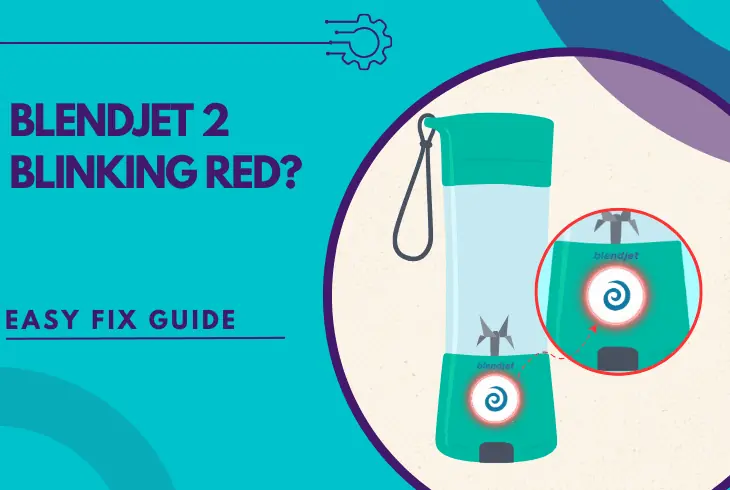
If your BlendJet 2 blinking red continuously, this guide will help you!
BlendJet 2 provides owners with portability and the opportunity to make smoothies, drinks, and shakes on the go.
Well, the blinking red light puts an end to all this, so it requires an inspection.
The red light is never a good sign and in most cases, the BlendJet blender won’t work properly during the blinking.
This guide will provide you with ultimate solutions, so let’s take a quick look.
If your BlendJet 2 is blinking in red continuously, charge the blender and in the meantime remove any blade obstructions.
In addition, always align the arrows imprinted on the top and bottom, as well as make sure there are no leaks.
Let’s take a deeper look at what’s wrong with your blender!
Why is My BlendJet 2 Flashing Red?

On paper, your BlendJet 2 is flashing in red because of two things–the blades are blocked, or the blender needs to be recharged.
However, according to many users, the flashing red light may also appear because of other things.
So we’ll do our best to present everything we know:
Sometimes the easy can be solved in minutes, other times you would need to try multiple fixes, but by the end of this guide, you’ll tackle the red light.
What to Do When BlendJet 2 Blinking Red? – Easy Solutions
Let’s jump into the troubleshooting!
1. Charge the BlendJet 2 Correctly

The first and most important step to undertake is to make sure that your BlendJet is charged, so you can exclude the low battery as a possible culprit.
When your BlendJet is low on battery, the primary indication is a red blinking light, so before rushing to conclusions, recharge the blender.
Charging is very easy!
You only need the supplied USB cable, but even if you’ve lost it, you can use any other USB-C cable at your disposal.
The USB-C (small end) plugs into the charging port of the BlendJet, and the other (big end) connects to any USB port (PC/car/laptop) or into an adapter for an outlet link.
That’s it. Your BlendJet should now be charging, as long as the LED is in red.
If your LED does not show a red color when the blender is plugged in, the charging equipment is likely defective.
Quick Tip: If your BlendJet is not charging, test a different outlet, different USB cable, or different power adapter.
2. Remove the Blade Obstructions

Another major reason for the flashing red light on BlendJet is blade obstructions that prevent them from spinning.
This primarily happens when the blend motor is stalled, due to overfilling, too many solids, lack of liquids, or simply because of an obstruction preventing the operation.
Here are a few well-known reasons for stuck BlendJet blades:
- The BlendJet blender cup is overfilled.
- There are too many frozen ingredients.
- There is no mixture of liquid and solids.
- Something is stuck beneath the blade.
- The items/ingredients are too packed.
- Entangled particles/items on the blade.
The best thing that you can do at this point is take everything out of the BlendJet cup, clean the blade and space beneath it, and test the red light.
Warning: NEVER put your hand into the blender for cleaning, only use objects long enough to help you clean without reaching in.
3. Always Align the Blender Arrows

Another reason why your BlendJet 2 flashing red is because the arrows are not aligned, hence the cup is not positioned and tightened properly.
On your BlendJet 2, there is a large sticker on the front side, which states “ARROWS MUST BE ALIGNED FOR OPERATION.”
So, there is one arrow on the sticker pointing up, and one on the transparent blender cup, which points down.
Their tips must be met when your blender is closed.
If the arrows are not aligned properly, this means that the blender is not closed correctly, and the red light will flash as an indication.
When the arrows are not aligned, the BlendJet 2 will not start working, so you must rotate the cup and make sure that the arrows meet precisely in the middle.
If your BlendJet 2 arrows are correctly aligned, but the red light is still flashing, keep reading!
4. Thoroughly Clean the BlendJet 2
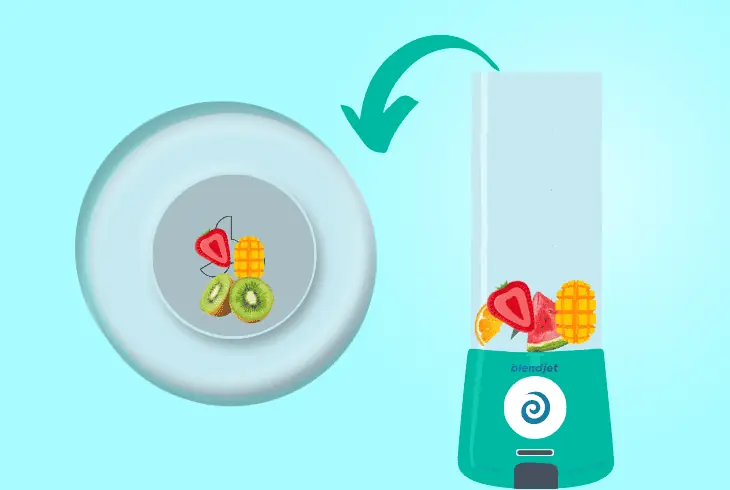
Well, cleaning is an essential part of maintaining your BlendJet intact, so a good water cycle is always welcome as it may unclog a stuck blade.
Sometimes leftover food particles may harden and jam the blades, which will cause a blinking red light, and cleaning is a very good approach.
So, we’ve prepared steps for thoroughly cleaning your BlendJet 2:
- First, remove all the food from the BlendJet 2 blender.
- Next, put a few drops of liquid soap on the blade/sides.
- Then, blend on “Blend Mode” and then drain and rinse.
- Repeat step 3 at least 3 times, for a thorough cleaning.
Can’t Use Blend Mode for Cleaning?
If you can’t use blending mode for cleaning the BlendJet 2 due to the blinking red light, take a long and pointy utensil such as a fork.
Next, put your sponge into the blender and using the fork move the sponge in all directions to clean the blade and soften any food particle obstructions.
Reminder: NEVER put your hands into the blender!
5. Inspect your BlendJet 2 for Leaks

Although it shouldn’t be surprising, BlendJet leaking can also produce a blinking red light, which also indicates that the blender is not closed properly.
If you didn’t screw the pitcher correctly onto the base, you may need to use a butter knife to put the seal under the ridge.
You need to unscrew the pitcher and screw it back into place, that will restore the blender operation and the red blinking light must disappear as if it were never there.
If this doesn’t help, there is more to try!
6. Gracefully Wiggle Your BlendJet 2

Although this may sound weird, many users actively report that the blinking red light sometimes gets stuck, and the only solution is to wiggle the blender.
This is a strange occurrence, and the only explanation is that the issue was detected, and then solved, but the light didn’t recognize the applied solution.
So, if you’ve tried all the previous steps, (unblocked the blender and align the arrows) but the red light is there, wiggle the entire blender back and forth.
Turn the BlendJet 2 upside down, flip it back, and so on. Be fairly gentle, and when ready, check if the red blinking light is there.
Warning: Be careful not to drop the upper cup as it may break!
Is My BlendJet 2 Hardware Defected?
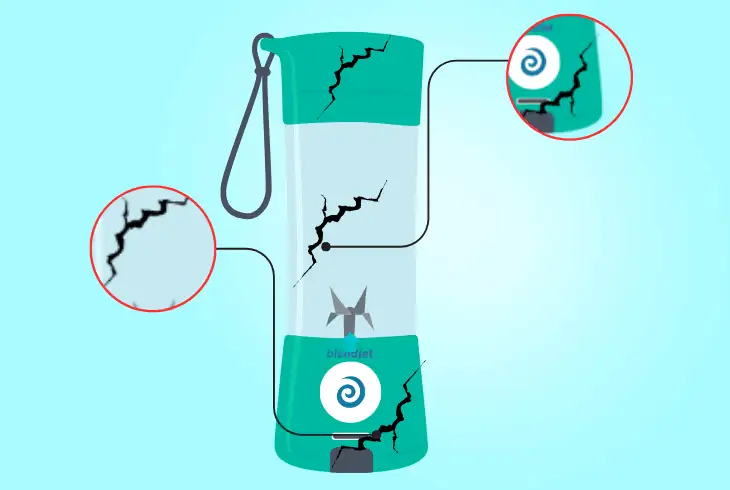
It’s not that unlikely of a scenario for your BlendJet to be defective, that will permanently trigger the red flashing light.
An example of damaged hardware would be putting the plastic cup of the BlendJet in a dishwasher, where the water temperature is high, deforming and bending the cup.
If the upper part of the BlendJet 2 (transparent plastic cup) is broken, bent, or deformed, your device may not start working.
Even if the bottom part is not defective and the arrows align, it’s not excluded that the red light will remain blinking until your BlendJet 2 is brought for servicing.
Note: Another possibility is that the internal blade motor was jammed and is now defective as a result, which also causes the blinking red light.
Quick Recap
If your BlendJet 2 blinking red, recharge the blender and inspect the blade for hardened food particles that obstruct the blade.
Also, make sure to align the arrows, and verify that there are no leaks from the plastic cup.
Follow us for more BlendJet 2 troubleshooting!

Kevin has over five years of experience working in various Tech startups and providing Technical solutions. He has contributed to many Tech publications and websites. Check out more about him here.